Screen SharingTechnical DemosWithout the Mess
Conjuly gives you precise control over what you capture and share. Ideal for securely screen sharing, streaming, and presentations on ultrawide or multi-monitor setups.
Video content courtesy of Season Eqpt.
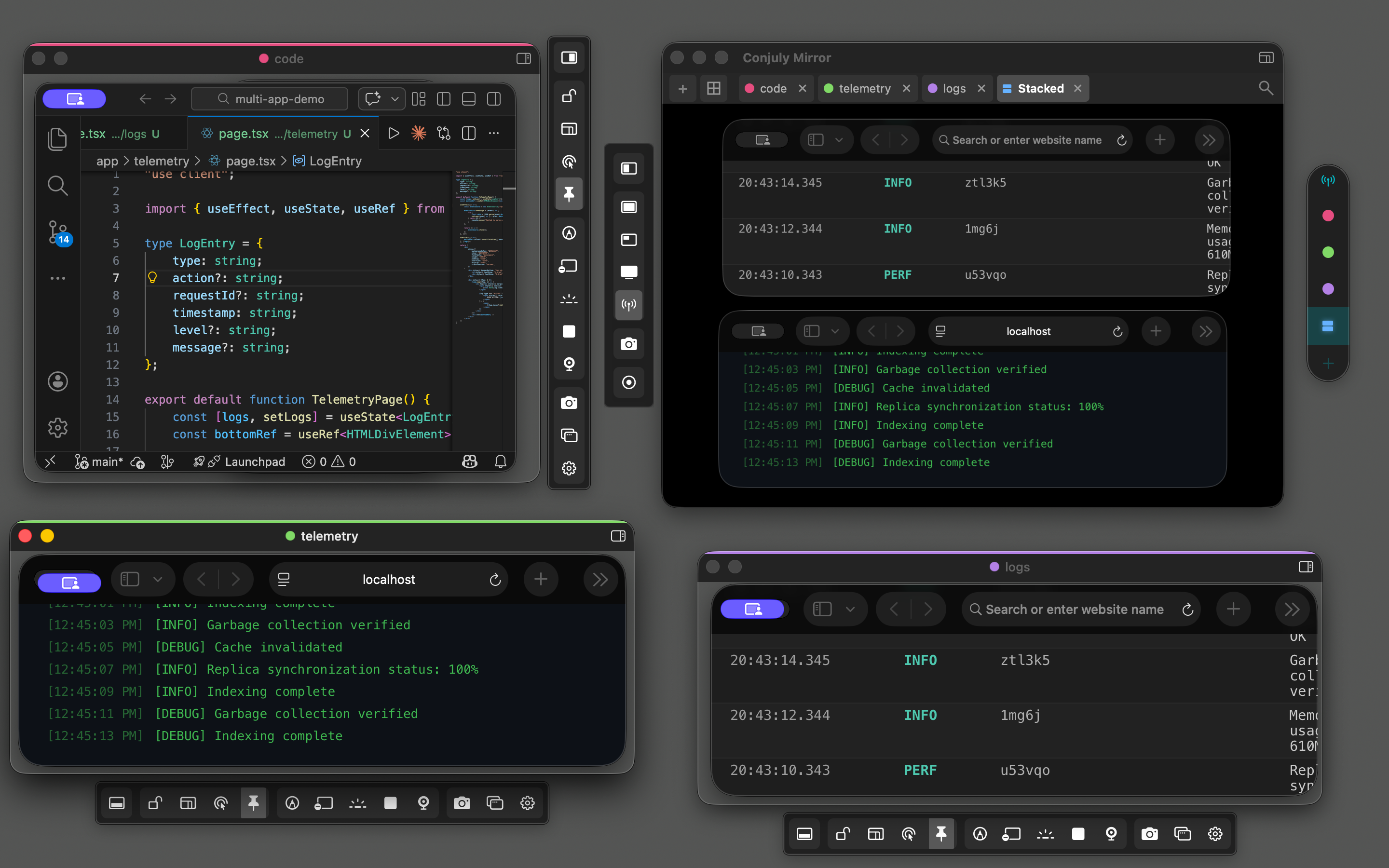
Control What You Capture
Define exactly what appears on screen—no more sharing your entire desktop.
- Pixel-perfect capture regions on any display
- Hardware-adaptive scaling based on your system's capabilities
- Mirror your region to a clean, shareable window
- Size presets for 1080p, 720p, and custom dimensions
- Full ultrawide and multi-monitor support
- Global hotkey to create regions from anywhere
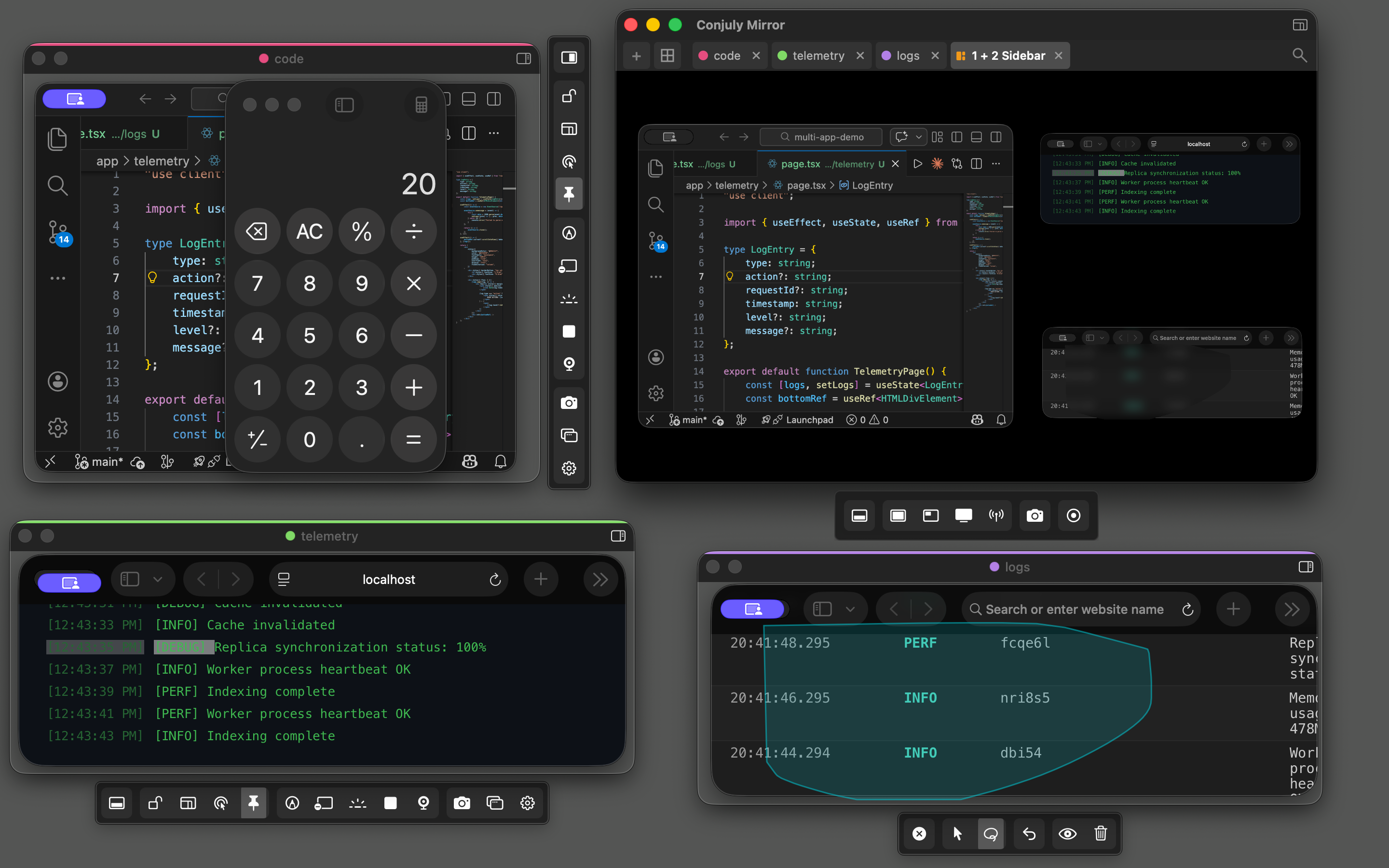
Protect Sensitive Information
Keep confidential data out of screen shares and recordings.
- Blur sensitive areas in real time (Pro)
- Auto-hide applications with Blocked Apps (Pro)
- Enterprise-managed blocklists via MDM
- All processing stays local—nothing leaves your Mac
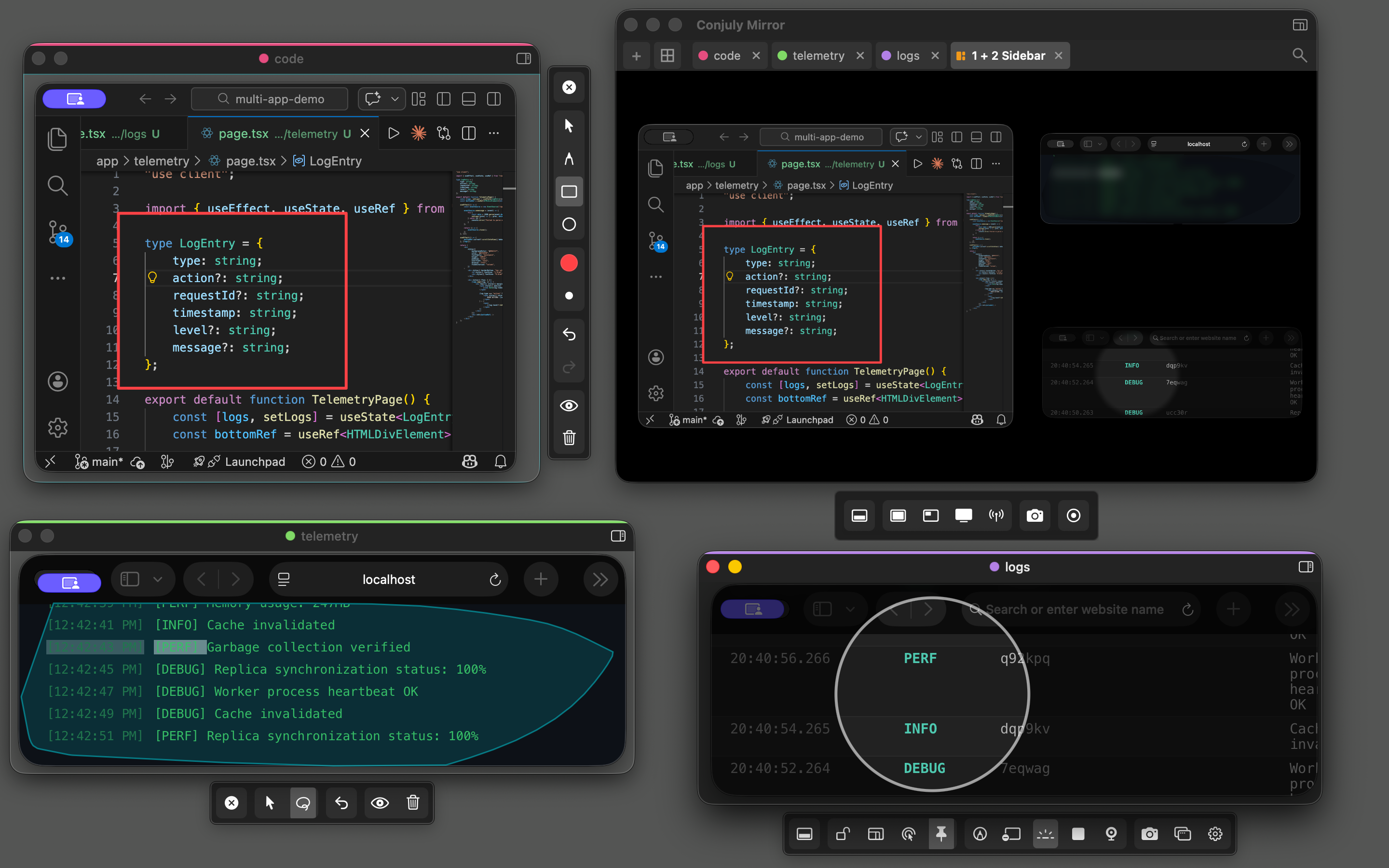
Present Like a Professional
Deliver polished demos, walkthroughs, and presentations with built-in tools.
- Spotlight mode to direct viewer attention
- Live annotations with shapes and freehand drawing
- Grid Mirror for multi-source layouts (Pro)
- Mirror Remote for switching views mid-presentation (Pro)
- Webcam avatar overlay (Pro)
- Canvas mode for whiteboard-style walkthroughs
See It in Action
Watch Conjuly handle multiple capture regions in real time.
Enterprise Deployment
Deploy Conjuly across your organization with MDM configuration and automated license activation. No external network dependency—everything runs locally.
App Blocking
Control which applications are hidden during screen sharing. Define organization-wide blocklists that users cannot override.
- Admin-managed blocklists
- Lock modifications to prevent end-user changes
- JSON or MDM profile deployment
License Deployment
Activate Pro features across your fleet automatically. Licenses are deployed via MDM profile with zero user interaction required.
- Silent activation on launch
- Works with Jamf, Kandji, Mosyle, and more
- Revoking the profile revokes access
Volume Licensing
Flexible pricing for teams of any size. Get a single license key for your entire organization with dedicated onboarding support.
- Volume discounts available
- Dedicated deployment guide included
- Priority support
Ready to deploy Conjuly across your organization?
Full deployment documentation is provided with your enterprise license.
Simple Pricing
Start free. Upgrade when you need more.
Free
Core capture tools for everyday use.
- 1 capture region
- Live annotations
- Mirror window with backgrounds
- Spotlight & Click-through modes
- Size presets & global hotkey
Pro Single
Everything in Free, plus advanced tools.
- Screenshots, video & GIF recording
- Multiple capture regions (hardware-adaptive)
- Grid Mirror layouts & Mirror Remote
- Blur Tool & Blocked Apps
- Webcam Avatar
- Canvas & Presentation modes
- Window Pinning & Position Locking
- Enterprise MDM support
Pro Multi
Everything in Pro, for your whole setup.
- All Pro features
- 3 Mac activations
- Lifetime updates
Changelog
Release history and downloads for previous versions.
- Initial release
- Capture any region on any monitor
- Mirror window for screen sharing
- Annotations and blur tools
- Blocked apps (Pro)
- Grid mirror with up to 4 regions (Pro)
- Screenshot and recording export (Pro)
- Enterprise MDM support

Precise screen capture for professionals.
Download Conjuly and take control of what you share.