Multi-Region Screen Capture & Recording for Mac
Without the Mess
Capture and record multiple screen areas simultaneously. Export to video or GIF, overlay your webcam, and share as a virtual camera in Zoom, Teams, and Meet — no OBS required. The native macOS screen capture tool built for ultrawide and multi-monitor setups.
Record Specific Areas of Your Screen
Share part of your screen on Mac without showing your full desktop. Draw a capture region around any area, mirror it to a clean window, and share that window in Zoom, Teams, or Google Meet. Record to video or export as a GIF — perfect for tutorials, bug reports, and async updates.
- Multi-region screen capture on any display
- Record specific areas to video or GIF (Pro)
- Mirror your region to a shareable window for screen sharing
- Size presets for 1080p, 720p, and custom dimensions
- Native macOS screen capture — optimized for Apple Silicon
- Adjustable frame rate from 1–60 FPS per region
- Capture an iPhone, iPad, capture card, or USB camera as a region source (Pro)
- Global hotkey to create capture regions from anywhere
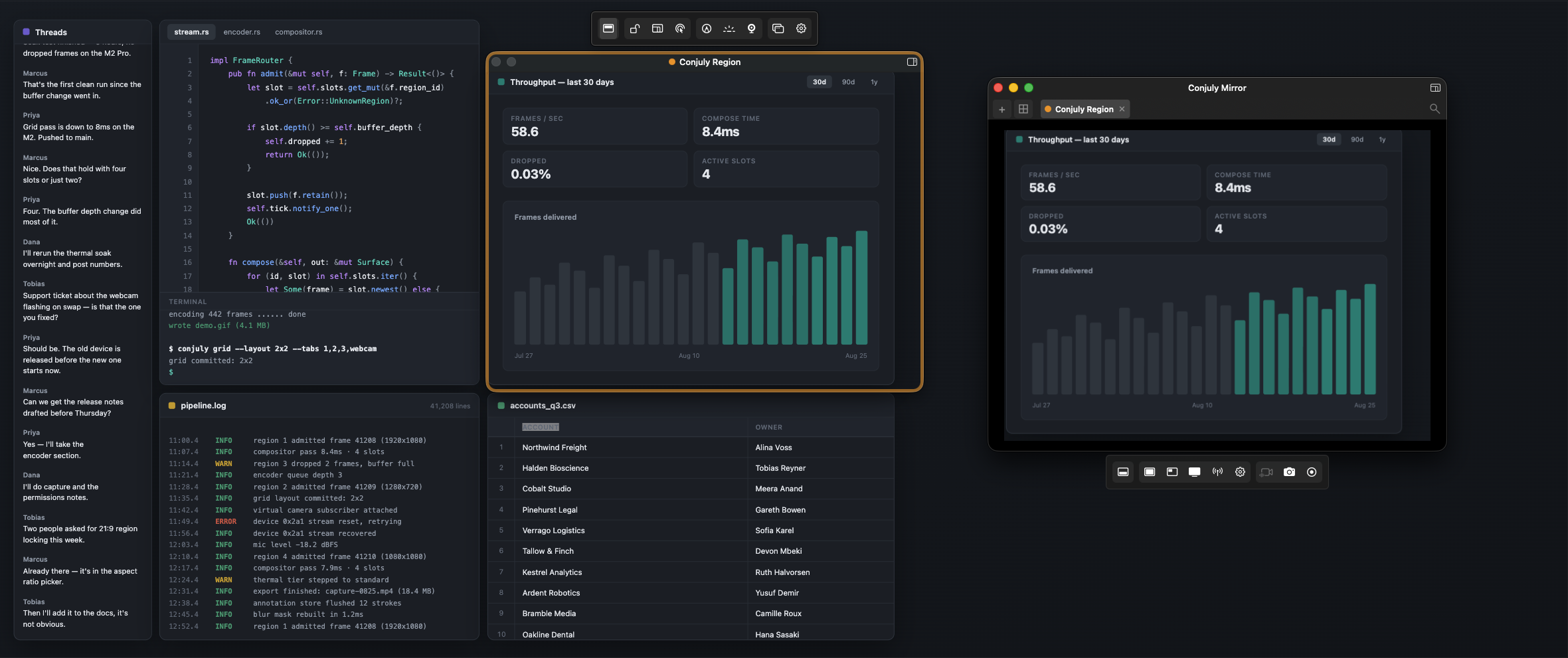
Your Ultrawide Display, Readable to Everyone Else
Sharing a whole ultrawide makes everything tiny on the other end. Pick the parts that matter and send them at a normal size — from a 49-inch super ultrawide, or from any monitor in a multi-display setup.
- Draw regions on any display, including 49-inch ultrawides
- Regions from different monitors in a single mirror window
- Recipients see readable content instead of a letterboxed strip
- Lock a region to 16:9 so it fills the call window edge to edge
- Move a region between displays without losing the capture
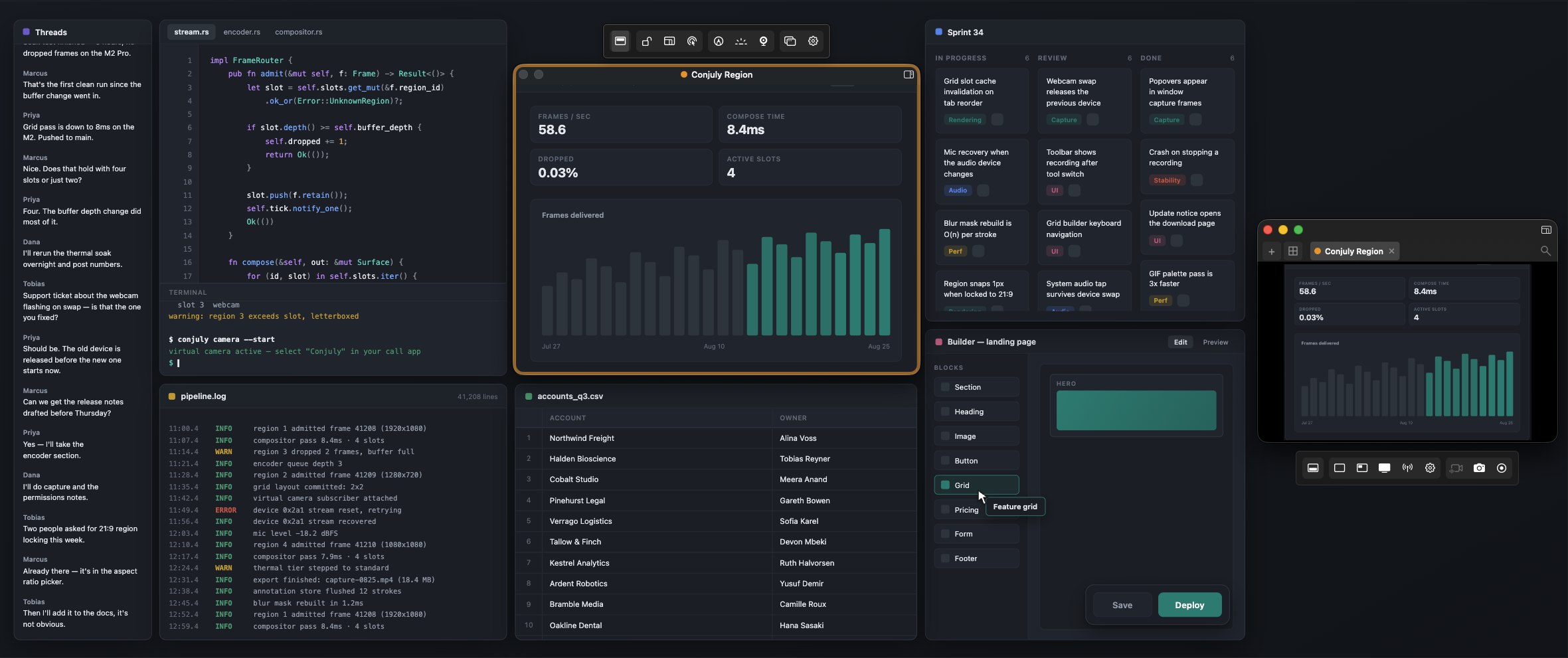
Capture Multiple Screen Areas Simultaneously
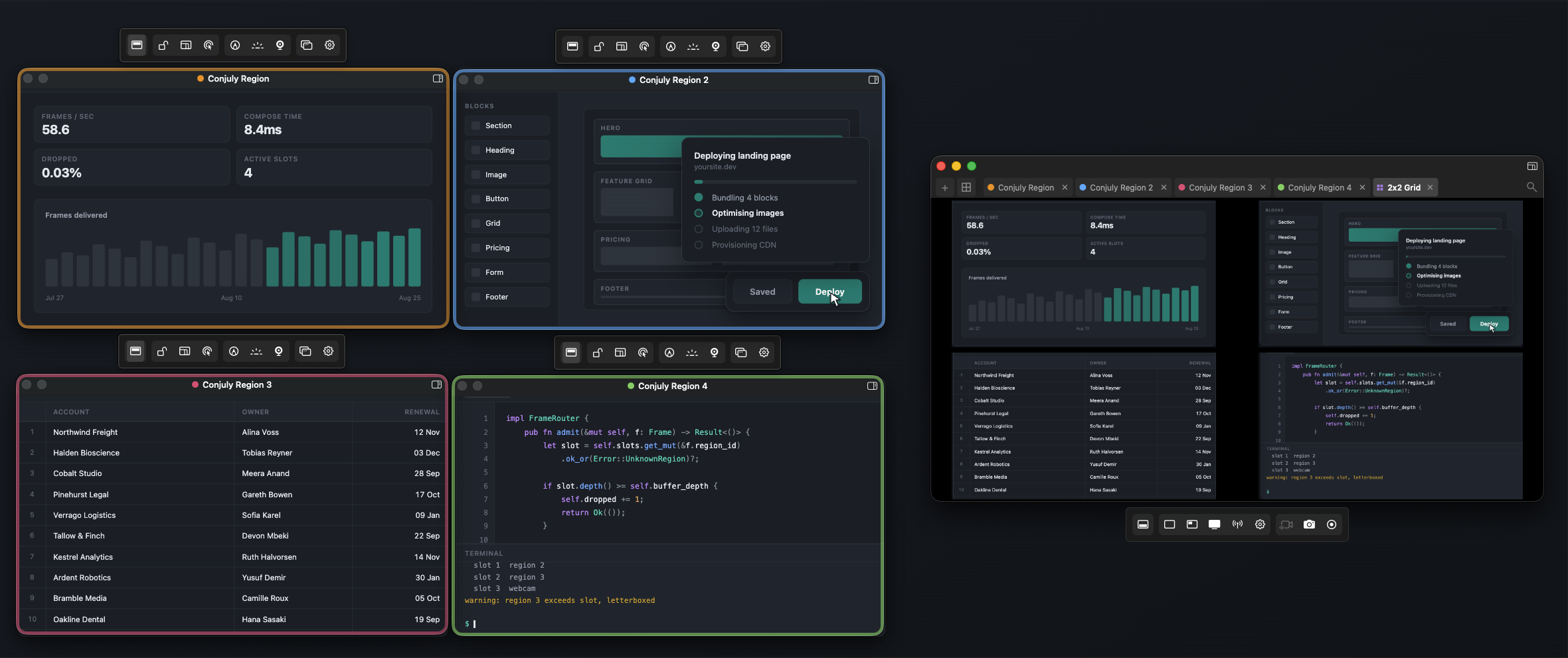
Grid Mirror lets you capture multiple screen regions from different monitors and compose them into one shareable window. Use it as a virtual camera for screen region sharing in Zoom, Teams, or Google Meet. An OBS alternative that's native to macOS — no complex setup, no plugins, no streaming software required.
- Capture multiple screen areas from any display into one window
- Preset layouts: side-by-side, PiP, 2×2 grid, and more
- Use as a virtual camera for Zoom, Teams, and Meet
- Ultrawide monitor screen sharing made simple
- Perfect for 49-inch ultrawide and dual monitor setups
- Switch layouts live with Mirror Remote during calls
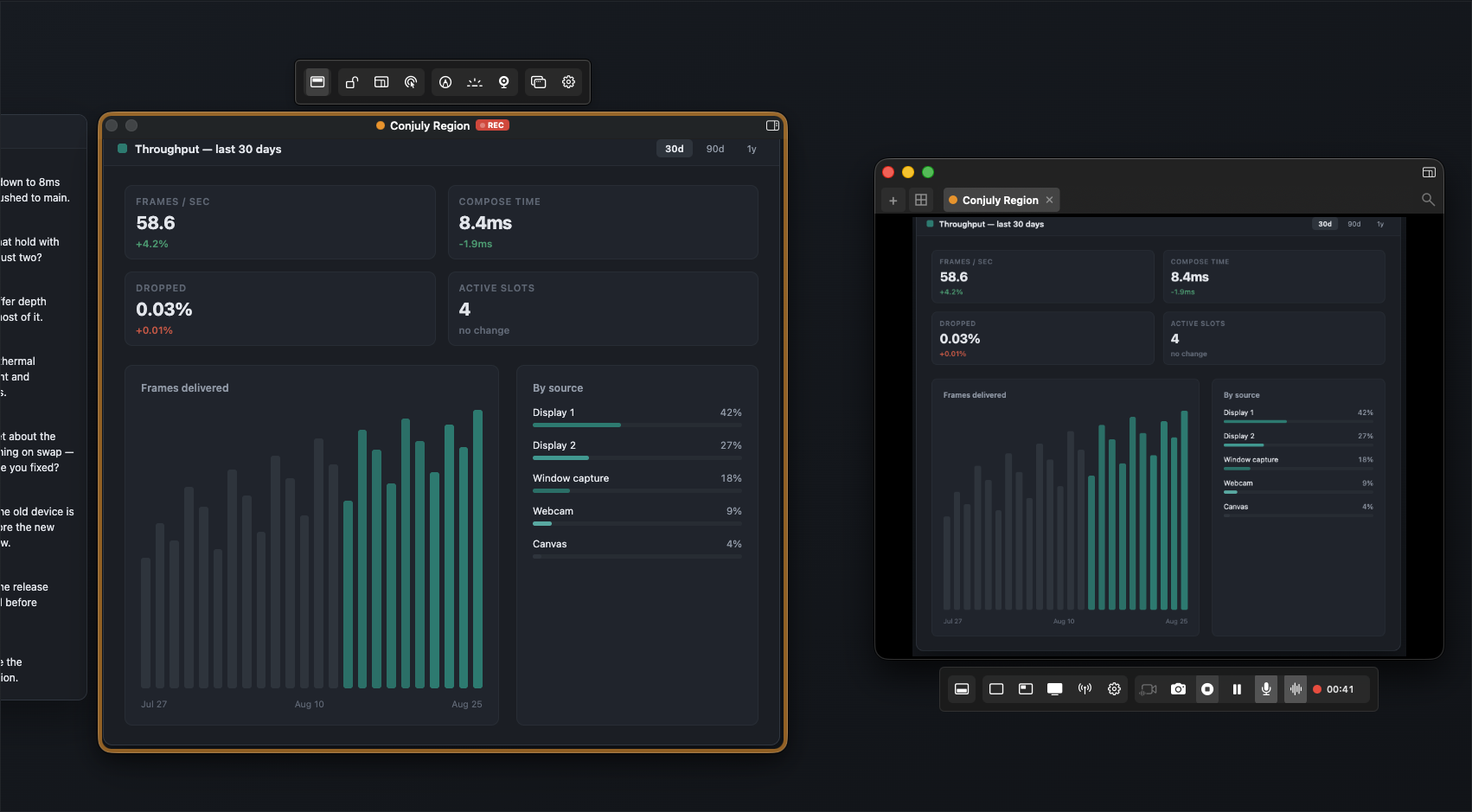
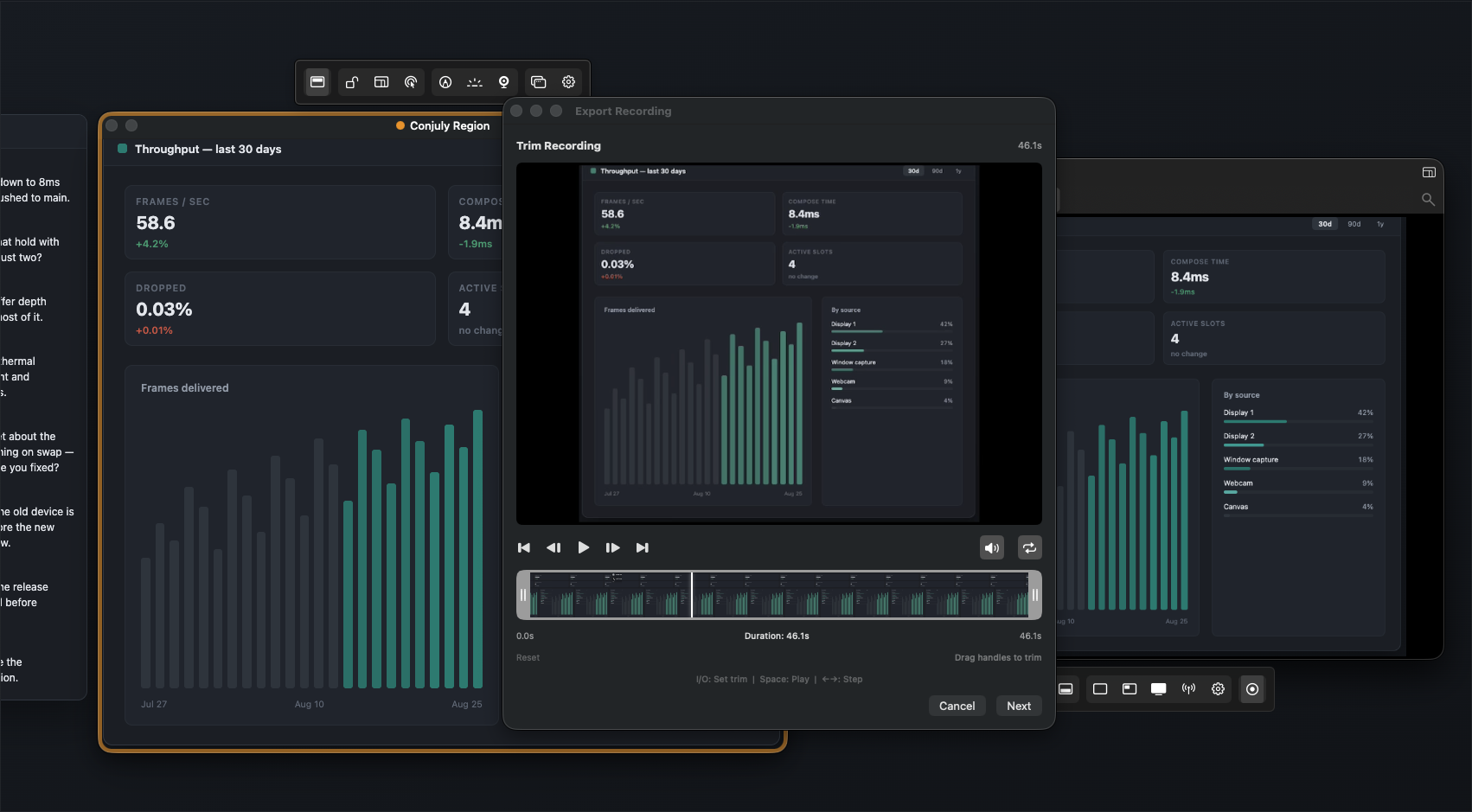
Record the Region. Trim It. Export It.
Capture just the area you framed, with microphone audio, system audio, or both. Trim the clip in the built-in editor, then export it as MP4, MOV, or GIF — at a quality you pick, with the file size shown before you save.
- Record only your capture region, not the whole screen
- Microphone audio, system audio, or both together
- Pause and resume mid-recording
- Trim the clip in the built-in editor before exporting
- Export MP4, MOV, or GIF — plus PNG screenshots of any region
- Low, Medium, High, or Original quality with an estimated file size
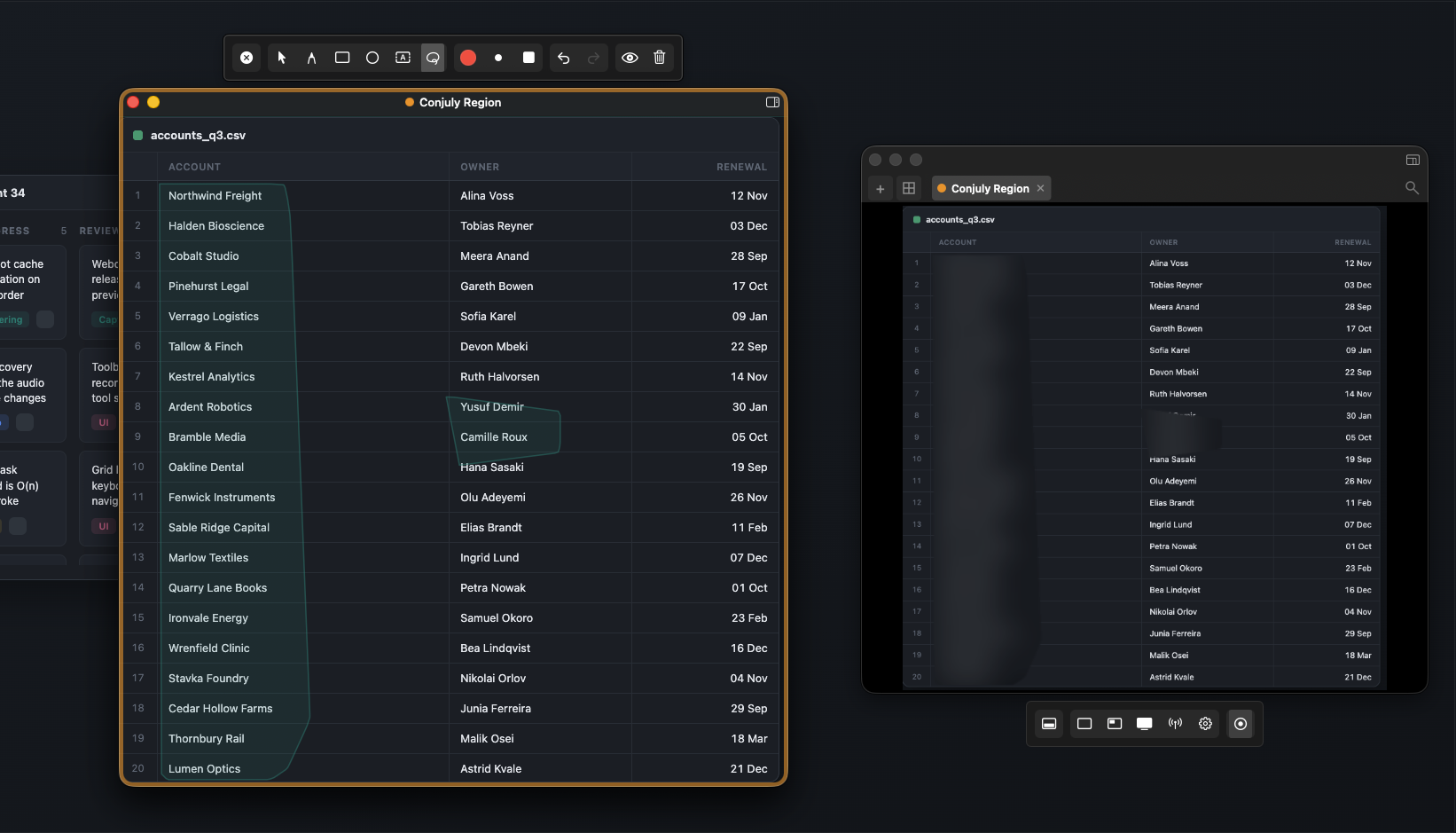
Protect Sensitive Information
Keep confidential data out of screen shares and recordings — whether you're on Zoom, Teams, Slack, or Discord. Everything is processed on your Mac.
- Blur sensitive areas in real time (Pro)
- Auto-hide applications with Blocked Apps (Pro)
- Enterprise-managed blocklists via MDM
- All processing stays local—nothing leaves your Mac
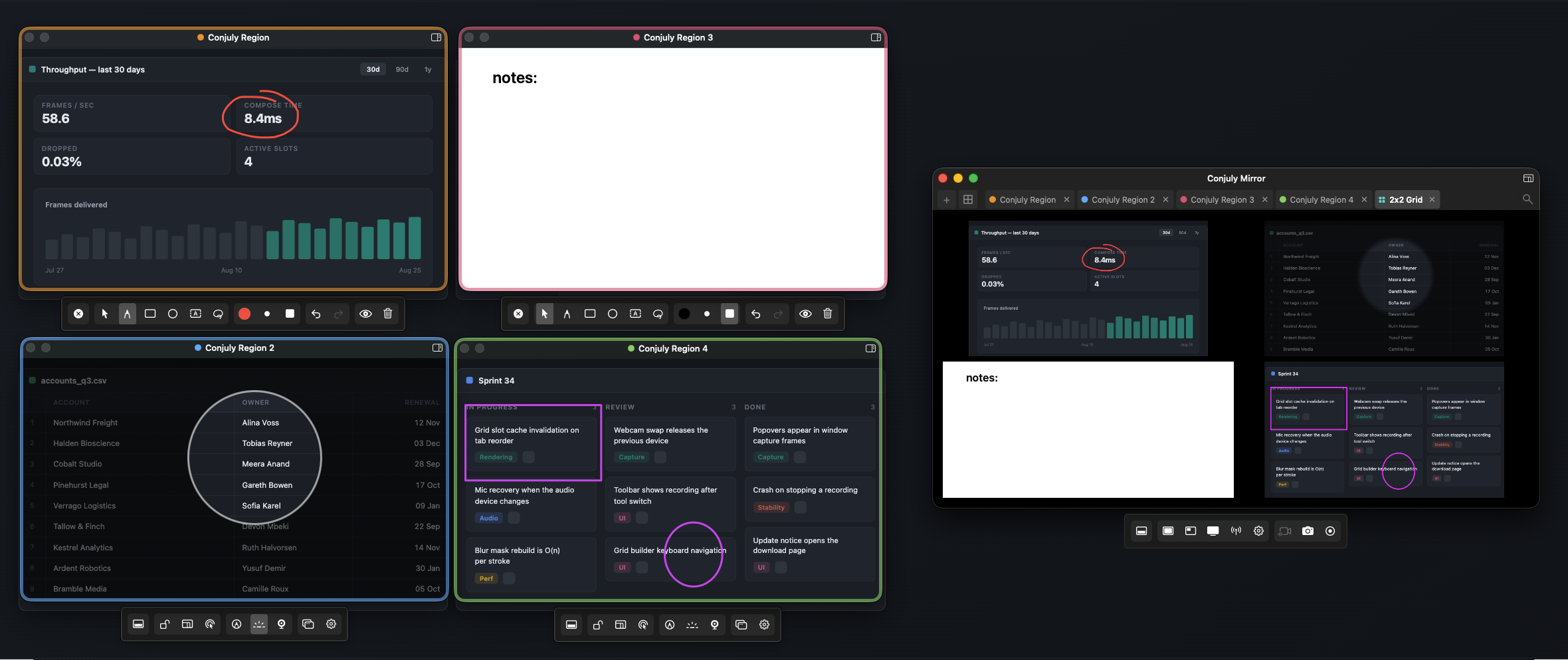
Present Like a Professional
Deliver polished demos and presentations with built-in webcam overlay, annotations, and spotlight mode. Every region gets its own toolbar — pen, shapes and text, a spotlight to dim everything else, and a whiteboard to draw on. It all shows up live in the mirror.
- Circular webcam overlay, positioned anywhere in the mirror (Pro)
- Live annotations with shapes and freehand drawing
- Spotlight mode to dim everything except your focus area
- Mirror Remote for switching views mid-presentation (Pro)
- "Be Right Back" overlay for breaks during streams and calls
- Canvas mode for whiteboard-style walkthroughs
- Click-through mode — overlay stays visible while you interact with content beneath
See It in Action
Regions across multiple monitors, an iPhone captured over USB, a side-by-side grid, and GIF export — in real time. Available on the Mac App Store.
Enterprise Deployment
Deploy Conjuly across your organization with MDM configuration and automated license activation. No external network dependency—everything runs locally.
App Blocking
Control which applications are hidden during screen sharing. Define organization-wide blocklists that users cannot override.
- Admin-managed blocklists
- Lock modifications to prevent end-user changes
- JSON or MDM profile deployment
License Deployment
Activate Pro features across your fleet automatically. Licenses are deployed via MDM profile with zero user interaction required.
- Silent activation on launch
- Works with Jamf, Kandji, Mosyle, and more
- Revoking the profile revokes access
Volume Licensing
Flexible pricing for teams of any size. Get a single license key for your entire organization with dedicated onboarding support.
- Volume discounts available
- Dedicated deployment guide included
- Priority support
Ready to deploy Conjuly across your organization?
Full deployment documentation is provided with your enterprise license.
Simple Pricing
Start free. Upgrade when you need more.
Free
Core capture tools for everyday use.
- 1 capture region
- Live annotations
- Mirror window with backgrounds
- Spotlight & Click-through modes
- Size presets & global hotkey
Pro
Everything in Free, plus advanced tools.
- Screenshots, video & GIF recording
- Multiple capture regions (hardware-adaptive)
- Grid Mirror layouts & Mirror Remote
- Blur Tool & Blocked Apps
- Webcam Avatar
- Canvas, Presentation & BRB modes
- Aspect ratio locking (16:9, 4:3, 1:1, 9:16, 21:9)
- Position Locking
- Enterprise MDM support
- Activate on up to 3 of your Macs
- Lifetime updates
Changelog
Release history and downloads for previous versions.
- Workspace layouts — save your whole setup (every region, where it sits, and your mirror arrangement) and bring it back in one click. Save from Settings or by right-clicking a grid
- Keyboard shortcuts for region and mirror windows, with an on-screen legend so you can see what's available without leaving the app
- Auto-zoom — click anywhere and the captured output zooms to that spot and follows your cursor, so viewers see what you're pointing at
- Cursor effects — a highlight around the pointer and a ripple on click, to make demos easier to follow
- Webcam background blur, using the GPU so it stays smooth while you're recording
- Custom watermark — put your own logo on captures, with adjustable opacity
- Hide notifications while sharing, so a message banner can't land in the middle of your recording
- Per-region settings — effects and options can now differ from region to region instead of applying to everything at once
- New experimental section in Settings: copy text out of a region (OCR), live closed captions, QR and link detection, and auto-redaction of sensitive text. Once switched on, the OCR and QR buttons live under Effects in the region toolbar
- Fixed regions showing a black or out-of-date picture when the screen behind them wasn't changing — during a drag, after restoring a minimized region, or when switching monitors
- Fixed licensed copies being treated as unlicensed when macOS couldn't read the keychain
- Restored regions now reopen on the monitor they came from
- Recordings now spend their quality budget more evenly, so the first moments of a clip look as good as the rest
Frequently Asked Questions
How do I share part of my screen on a Mac?
Conjuly lets you draw a capture region around any part of your screen and mirror it to a clean, shareable window. Share that window in Zoom, Teams, or Google Meet — your audience only sees what you selected, not your entire desktop. You can also record the region to video or export it as a GIF.
Can I record specific areas of my screen on Mac?
Yes. Conjuly lets you record specific screen areas to video or GIF. Draw a capture region around any part of your display, hit record, and export. Perfect for tutorials, bug reports, and async updates — no full-screen recording required.
Can I capture multiple screen regions at the same time?
Yes. With Grid Mirror (Pro), you can capture multiple screen areas from different parts of your screen — or different monitors — and compose them into one window with preset or custom layouts. Record, share, or use as a virtual camera in your video call.
Is Conjuly an OBS alternative for Mac?
Conjuly is a native macOS alternative to OBS for screen region capture and sharing. Unlike OBS, there is no complex setup, no plugins, and no streaming pipeline to configure. Just draw your regions and share, record, or use as a virtual camera. If you need full streaming software, OBS is the better choice — but for screen region sharing and recording, Conjuly is simpler and faster.
How do I share my ultrawide monitor in a video call?
Sharing an ultrawide display directly makes content tiny and unreadable for viewers. Conjuly lets you capture specific regions from your ultrawide monitor and compose them into a standard-sized window using Grid Mirror. Share that window in Zoom, Teams, or Meet — your audience sees exactly what they need at a readable size.
Can I use Conjuly as a virtual camera?
Yes. Conjuly can output your captured screen regions as a virtual camera feed. Use it in Zoom, Teams, Google Meet, or any app that supports camera input. Show your screen regions alongside your webcam overlay without screen sharing — ideal for presentations, demos, and remote teaching.
Is Conjuly free?
Conjuly has a free tier with core capture and mirror features. Pro features like Grid Mirror, video/GIF recording, Blur, Blocked Apps, webcam overlay, and custom layouts are available with a one-time purchase of $4.99. Download free from the Mac App Store.
