
Press kit
Conjuly
Share one part of your screen, not the whole desktop. Conjuly is a Mac app that mirrors the exact regions you choose, from any monitor, into one clean window you can share, record or send into a call as a camera.
The zip has the story and fact sheet as text, the App Store screenshots and clean screenshots at full size, the demo videos, and the app icon and menu bar glyph.
Our story
I'm a software engineer, and I work on an ultrawide with a second display beside it. Every screen share went the same way: share the whole desktop and hope a Slack DM didn't pop up, or share one window and keep saying "hold on, let me find that." Every tool made me pick one screen or one window, and my work was never in just one place.
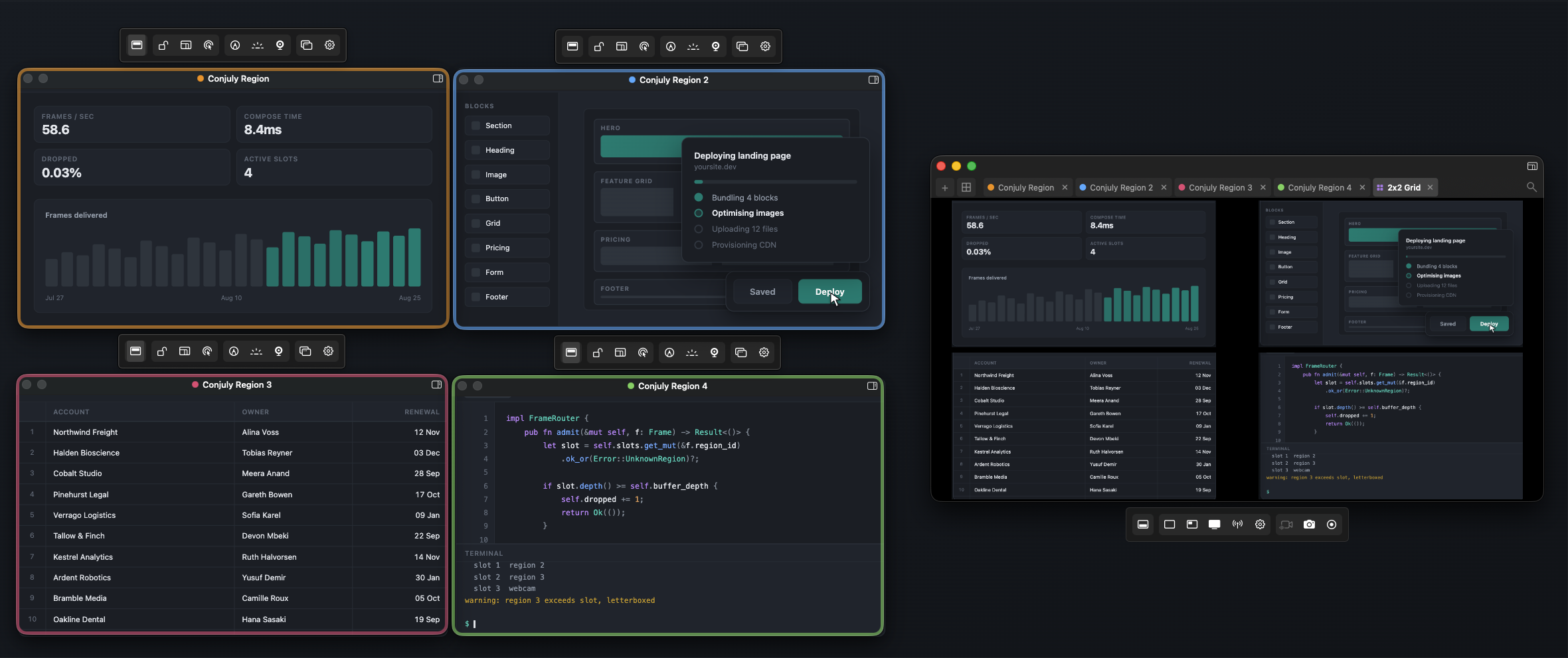
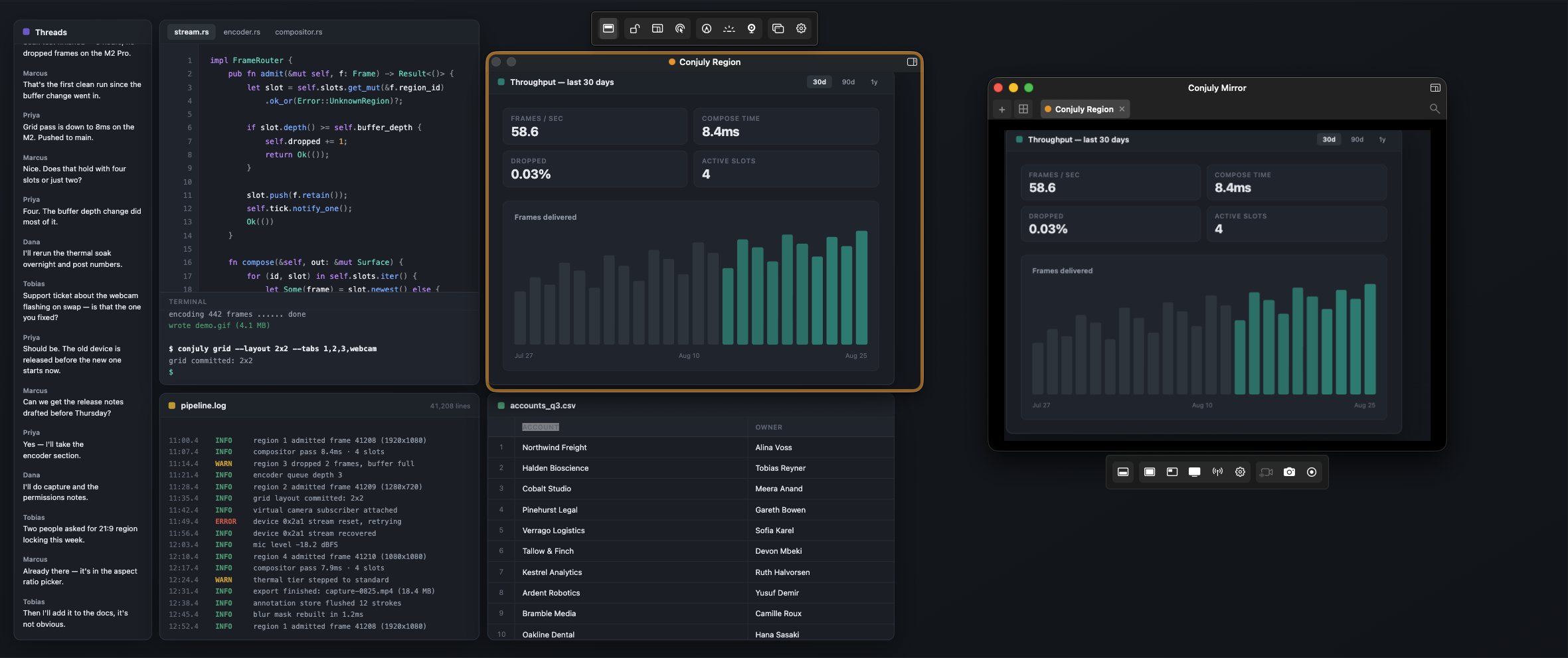
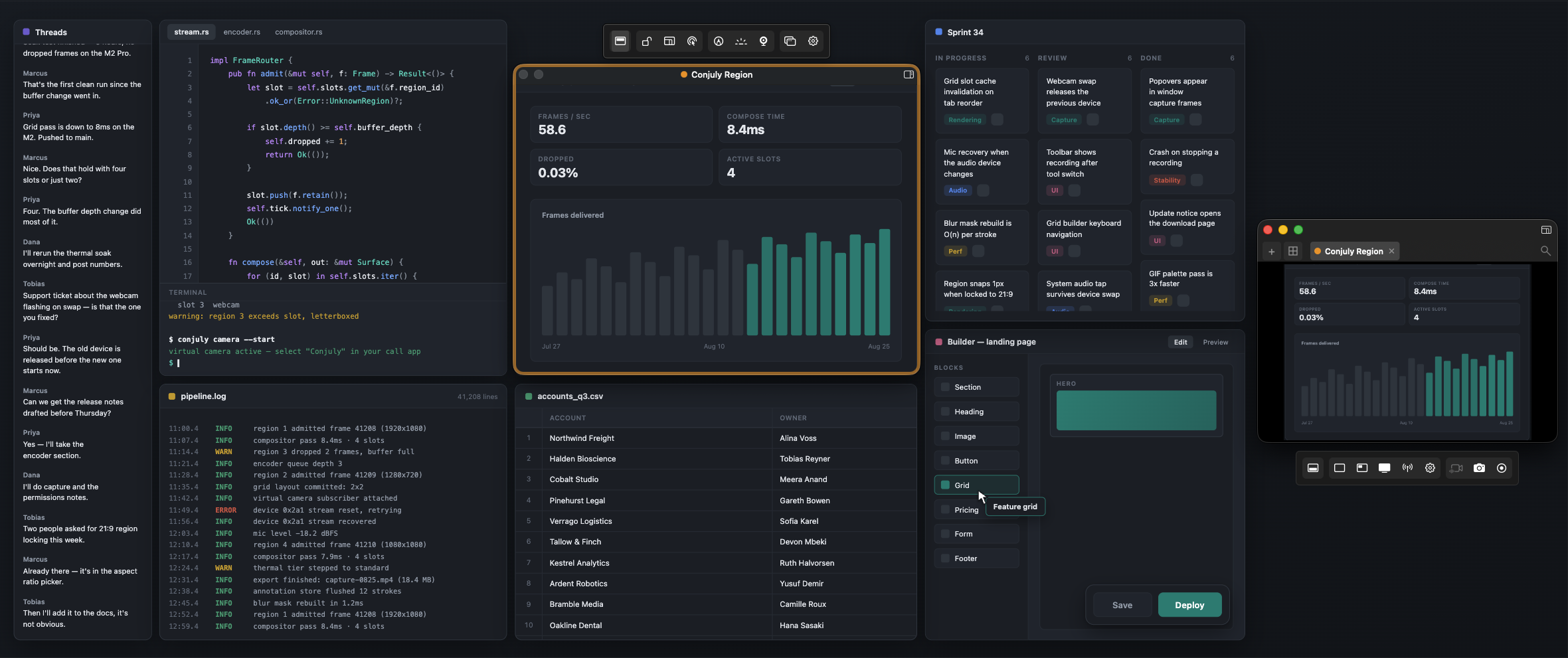
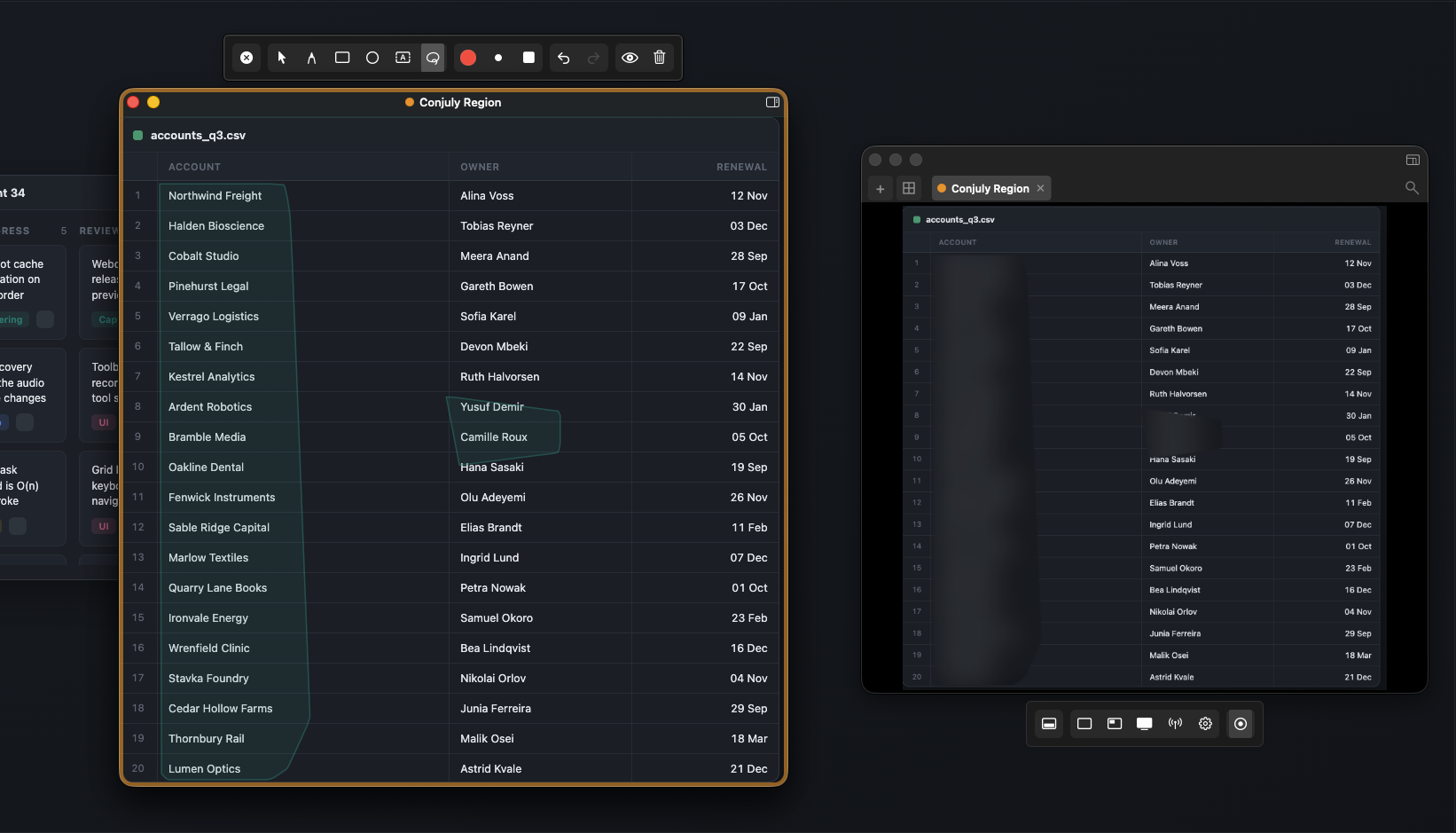
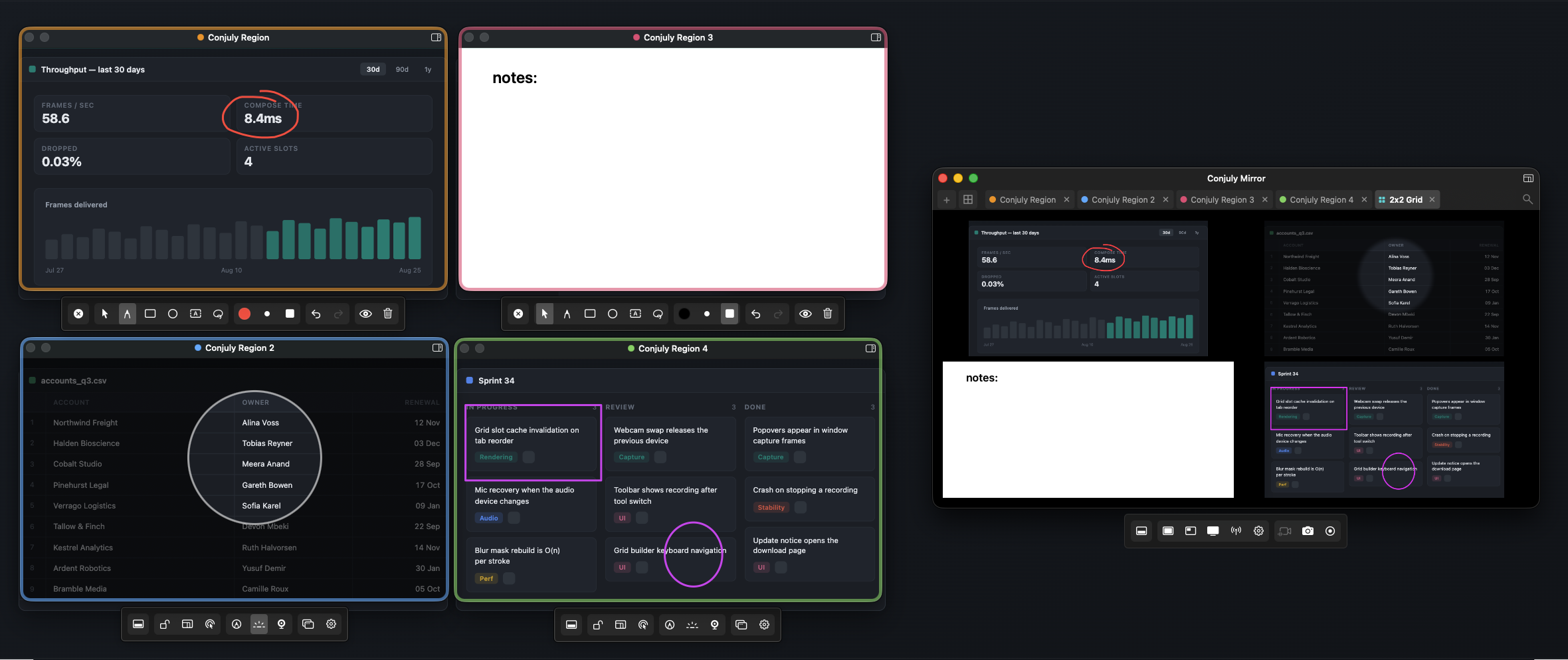
So I built Conjuly. You draw a region around exactly what you want to show, on any monitor, and Conjuly mirrors it into a clean window you share instead. The code editor from one screen, the terminal from another and the browser preview from the ultrawide can sit side by side in one grid. You can record just that area, blur what shouldn't be on the call, or send it into Zoom, Teams or Meet as a camera.
It runs entirely on your Mac. There is no account, nothing is uploaded, and nothing is tracked.
The developer, Deschutech
See it in action
Download the MP4. The zip has both demo videos.
Free, with a one-time Pro
Free
$0
One capture region, the mirror window, live annotations, Spotlight and click-through modes, size presets and a global hotkey. Not a trial.
Conjuly Pro
$4.99 once, direct (up to 3 Macs)
$6.99 once on the Mac App Store
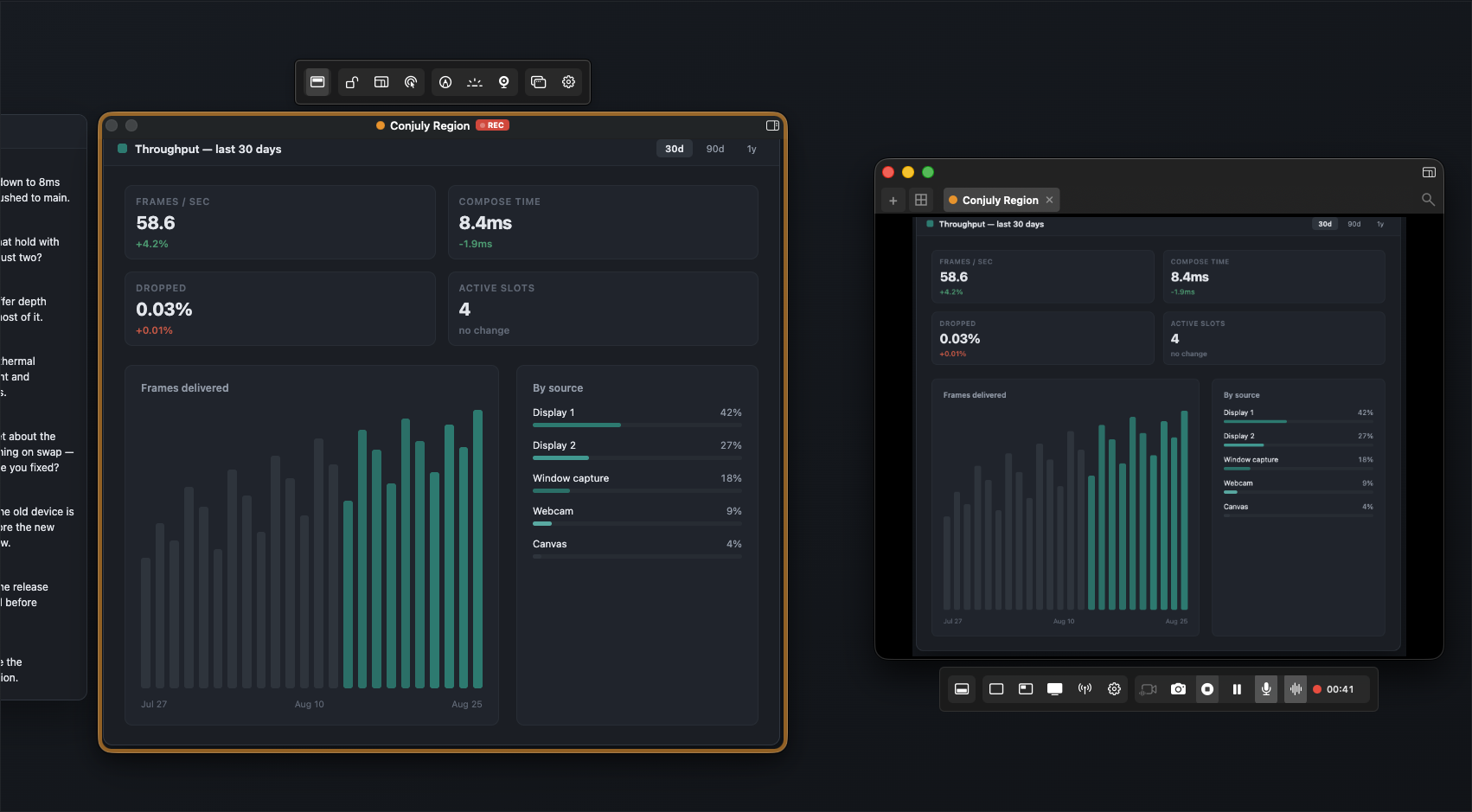
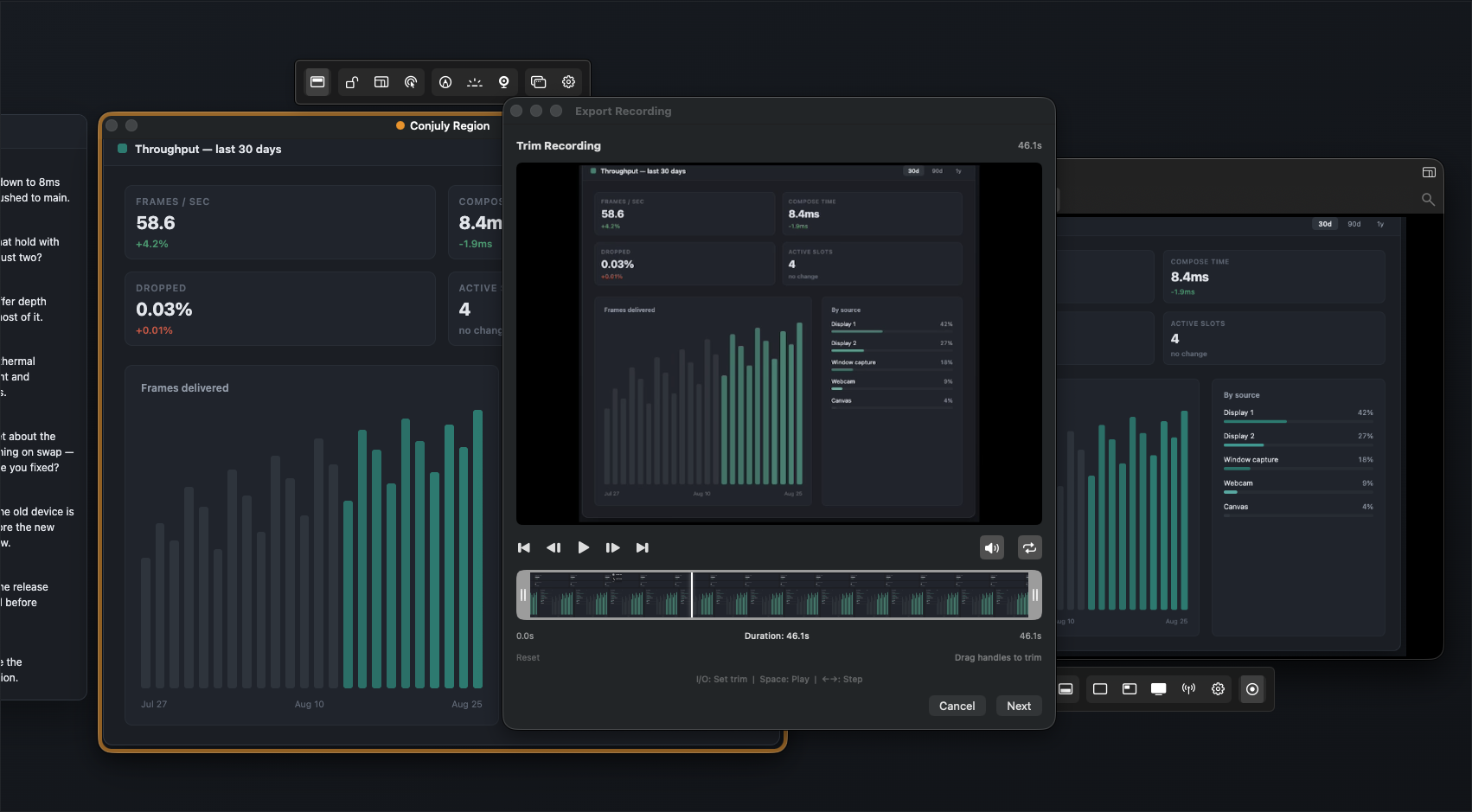
Multiple regions and Grid Mirror, screenshots, video and GIF recording with a trim editor, real-time blur, Blocked Apps, webcam overlay with background blur, iPhone, iPad and capture-card sources, and enterprise MDM support.
Nothing renews. 30-day money-back guarantee.
Privacy: it stays on your Mac
No account, no cloud, no analytics.
Capture, recording, blur and the virtual camera all run locally. Conjuly works offline, and companies can push a blocklist of apps that must never appear on a share through their MDM. Read the privacy policy.
Screenshots
Click any screenshot for the full-size image. The zip also has the seven App Store panels at 2560×1600.
Fact sheet
| App | Conjuly |
|---|---|
| Developer | Deschutech LLC, Bend, Oregon |
| Platform | macOS 15 Sequoia or later, Apple silicon and Intel |
| Current version | 2.0 |
| Price | Free. Conjuly Pro is a one-time purchase: US $4.99 direct from conjuly.com (up to 3 Macs) or $6.99 on the Mac App Store. No subscription |
| Category | Utilities. Rated 4+ |
| Get it | Mac App Store or a direct download from conjuly.com |
| Privacy | App Store label: Data Not Collected. No account, no analytics; capture, recording and blur all happen on your Mac |
| Enterprise | MDM deployment (Jamf, Kandji, Mosyle and others) with admin-managed app blocklists |
| Press contact | hello@conjuly.com |
Logos and icon
Please use the icon as is, without recoloring or cropping.
 App icon (PNG, 1024)
 App icon (PNG, 512)
Writing about Conjuly?
Email hello@conjuly.com for a free Conjuly Pro license, a walkthrough, or an interview with the developer.
About Deschutech
Deschutech LLC is a small independent software studio in Bend, Oregon. It also makes Unsloth, a Mac app that frosts your screen when it's time for a meeting, Milton, a family organizer, and Little Honu, a retro pixel-art game for iPhone and iPad.